🚕 Ride-hailing, reimagined

Book a ride, anytime, anywhere.

Seamless cab booking at your fingertips. Enjoy fast, safe and affordable rides with just a tap — or drive with Ollo and earn on your own schedule.

Get the Ollo rider app on Google Play Rider app
Ollo on the App Store — coming soon Coming soon
Rider booking an Ollo cab

1 Tap

To book a ride

24/7

Rides & support

2 Ways

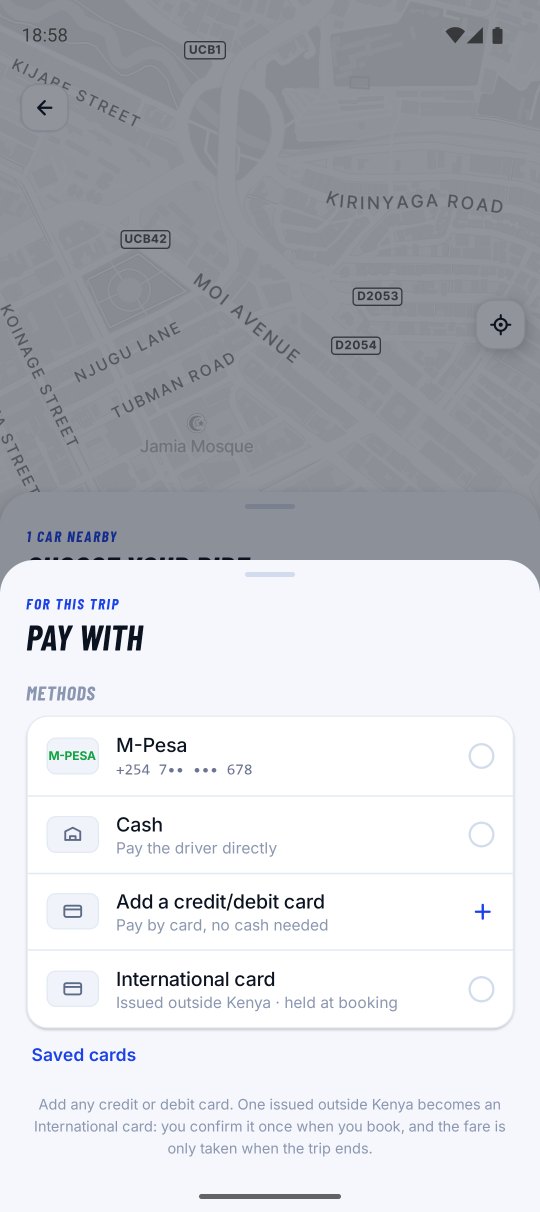
Cash or M-Pesa

SOS

Safety built in

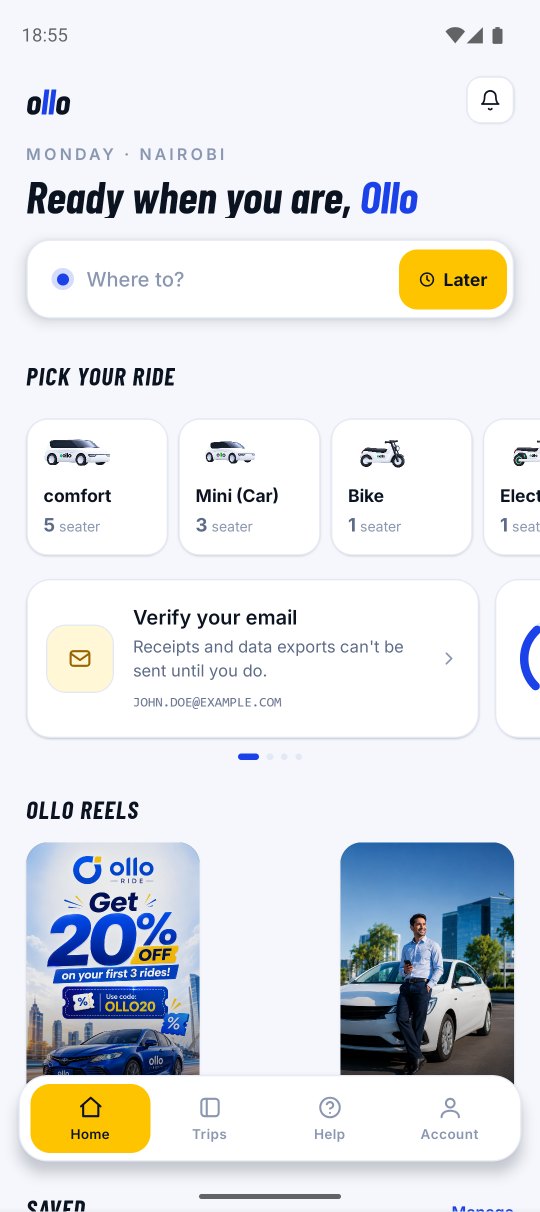
Ollo app screens

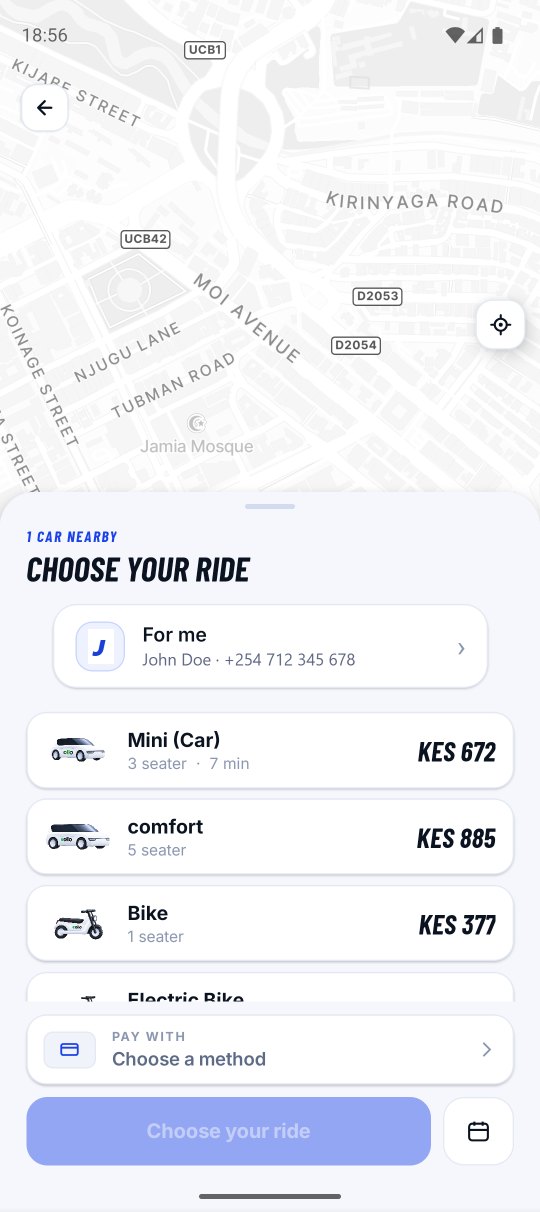
Imagine a ride, right at your doorstep

Ollo is a user-friendly ride-hailing app built to make your travel quick, safe and hassle-free. Whether it's a daily commute, an airport transfer or exploring the city, Ollo connects riders and drivers for a seamless transportation experience.

  • Instant & scheduled rides
  • Real-time tracking with live trip sharing
  • Multiple payment options & transparent fares

How Ollo works for you

Get where you're going in four simple steps.

1

Set your destination

Open the app, confirm your pickup and enter where you're headed — now or scheduled for later.

2

Get matched instantly

Ollo finds a nearby driver and shows you the car, fare and arrival time before you confirm.

3

Track every move

Follow your driver in real time, verify the trip with a pickup OTP and share your live location.

4

Pay & rate

Pay by cash or M-Pesa, then rate your driver — your feedback keeps every ride high quality.

Ollo rider app

Everything you need in one app

Seamless booking

Book a reliable ride in a few taps with automatic location detection.

Secure OTP login

Sign in with a one-time password so only you can access your account.

Scheduled rides

Plan ahead for airport runs or meetings with on-time pickups.

Live tracking & sharing

Watch your driver arrive and share a live link with family.

SOS safety alerts

One tap sends your location to emergency contacts and support.

Cash or M-Pesa

Pay the way you prefer with seamless M-Pesa integration.

Ratings & feedback

Rate every trip to keep service quality high and accountable.

Instant notifications

Ride confirmations, driver details and reminders in real time.

24/7 help & support

A dedicated team is on hand around the clock whenever you need it.

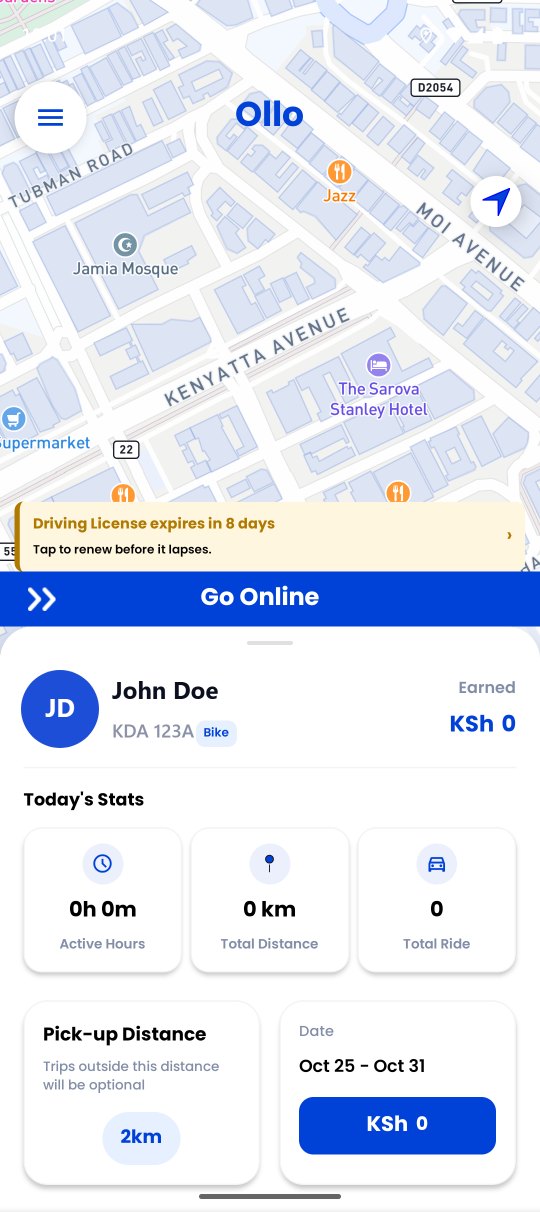
How Ollo works for drivers

Go online, accept rides and get paid — on your own schedule.

Ollo driver app
1

Go online

Flip on availability and start receiving ride requests from nearby riders instantly.

2

Accept & navigate

Accept a request and Ollo guides you to the pickup with clear turn-by-turn navigation.

3

Verify with OTP

Confirm the rider with a pickup OTP for a secure, verified trip every time.

4

Earn & track stats

Complete the ride and watch your daily hours, distance and earnings add up in the app.

Ollo driver

Why drive with Ollo?

Flexible work, transparent earnings and a smooth experience built for drivers.

Flexible hours

Transparent earnings

Seamless ride flow

Refer & earn

Frequently asked questions

Answers to the things riders and drivers ask us most.

Ollo is a ride-hailing service. You request a ride from where you are to where you want to go, a nearby Ollo driver accepts it, picks you up and drops you off. You see the driver, the car and the price before the trip starts, and you pay at the end.

Every ride follows the same steps:

  1. Tap “Where to go?” on the home screen and enter your destination. Your pickup defaults to your current location — tap it to change it.
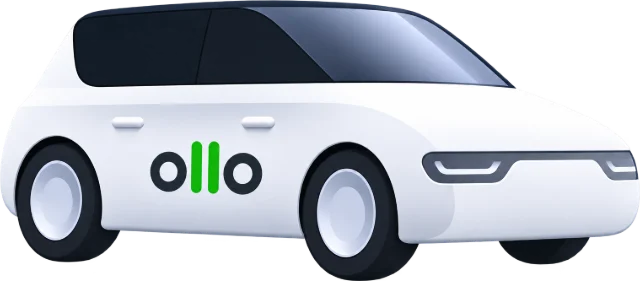
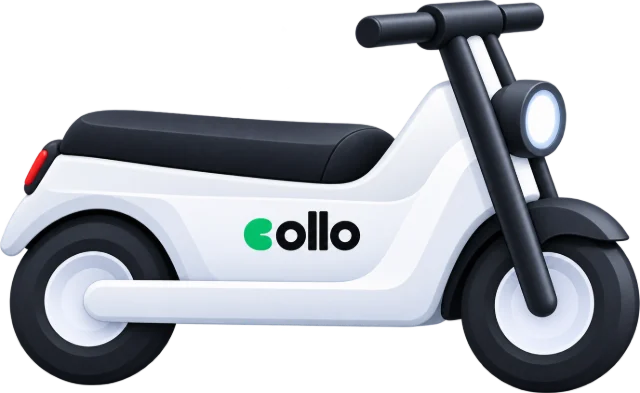
  2. Choose a car type. Each option shows its estimated fare and how long the car takes to reach you.
  3. Confirm the booking. Ollo shows you the driver, their rating, the car and the number plate as soon as one accepts.
  4. Give the driver your 4-digit pickup code so the trip can start.
  5. At the drop-off, pay by your chosen method and rate your driver.

It is a 4-digit code shown on your ride screen once a driver is on the way. Read it out to the driver when you get in — the trip cannot start until they enter it. It is there so you never board the wrong car and no driver can start a trip you are not actually in.

Yes to both. Add extra stops with the “+” control before you confirm, and drag them to reorder — the fare and route cover all your stops in order. During the trip you can add a stop, insert one before your destination or replace the destination entirely; your driver approves the change and the fare is recalculated for the new route.

Tap the “Schedule” tab next to “Now” on the home screen, enter your destination, pick the date and time, then choose a car type and confirm. The ride appears under Trips → Upcoming. Shortly before the pickup time you get a notification asking you to confirm you still want it — confirm and Ollo starts looking for a driver.

You can schedule from 30 minutes and up to 30 days in advance.

You choose the payment method while confirming the booking, and can change it before the trip ends:

  1. Cash — pay the driver directly at the end of the trip.
  2. M-Pesa — pay the driver directly on their number.
  3. Card — pay in the app through our payment partner.
  4. I&M Bank — pay to the Ollo paybill shown on screen, using your ride ID as the account number.

The fare is based on the car type you pick plus the distance and expected time of the route through all your stops. The price shown before you confirm is an estimate for that route. It can change if you add stops, change the destination mid-trip, or the route has to divert significantly.

Every trip is verified with a pickup code, and you can follow the car live on the map. The SOS button on the ride screen alerts the Ollo safety team with your live location, driver and trip details, and notifies the emergency contacts you have saved under Account → Emergency Contact. You can also share a live trip link with family through WhatsApp or SMS — they can follow your car without needing the app.

Before you board, check that the number plate, car and driver match what the app shows.

Ollo currently serves Nairobi and the surrounding areas. If you search for a place far outside the service area you may see no results or no available cars — that means we have not launched there yet.

From the menu open Support, then “Create New Ticket”. Pick the ride and the topic, describe the issue and attach a photo if it helps. Replies land in your Inbox and you get a notification when the team answers — support is available 24/7. You can also email support@tryollo.com.

You go online in the app, accept the ride requests that come to you, and collect the fare from the rider yourself at the end of every trip. Ollo does not hold your money — the whole fare is yours. In exchange, you pay Ollo a commission on the rides you complete.

  1. Register with your phone number and verify the OTP sent to it.
  2. Fill in your personal details and take the selfie the app asks for.
  3. Add your vehicle — make, model, colour, number plate and photos of the car.
  4. Upload your documents, with the expiry date on each one that has one.
  5. Wait for the Ollo team to review and approve. You are notified once you are cleared to go online.

The Documents screen lists everything Ollo needs from you, which typically includes:

  1. National ID
  2. Driving License
  3. PSV Badge
  4. Certificate of Good Conduct
  5. KRA PIN Certificate
  6. Profile photo
  7. Vehicle Insurance, Inspection Certificate and Logbook
  8. PSV Permit and Road Service License

Upload a clear, complete photo of each document and enter the correct expiry date — a blurred or cropped copy is the most common reason for rejection.

You collect 100% of every fare directly from the rider — Ollo never touches that money. Ollo charges you a commission of 18% of the fare, which you settle separately. So on a KSh 1,000 trip you collect KSh 1,000 and owe KSh 180 in commission.

Rider discounts are paid for by Ollo, not by you — a discounted trip leaves you with the same amount as a full-price one.

Commission builds up as you complete rides and is due every 2 days. If it is still unpaid after that, you are blocked from going online until you clear it — paying restores your access immediately.

  1. Open the platform fee screen from the menu, or tap “Pay Now” on the block message.
  2. Check the total dues and the per-ride breakdown.
  3. Confirm your M-Pesa number and the amount.
  4. Tap to pay — an M-Pesa STK push is sent to your phone. Enter your PIN to complete it.

Swipe the “Go Online” control at the bottom of the home screen and requests start coming to you. Use the demand heat map to position yourself where riders are booking most, stay online during the morning and evening peaks, and keep your acceptance rate and rating healthy.

Keep location permission set to “Allow all the time” and battery optimisation off for Ollo, or Android can stop the app in the background.

The app tells you the reason on the screen. The usual ones are:

  1. Unpaid commission past its due date — clear it and you are unblocked straight away.
  2. A required document has expired — upload the renewed copy and wait for approval.
  3. Your account is still under review, or has been suspended by the team.
  4. Location permission or GPS is off.

Drive to the pickup point using the in-app navigation — the rider is notified automatically as you get close. When they get in, ask for their 4-digit pickup code and enter it to start the trip. At the destination, tap the drop-off action, collect the fare and rate the rider.

Never start a trip without the code. It proves the right rider is in your car and protects you if a trip is later disputed.

The home screen warns you well before a document runs out, and again once it has. Documents that keep you road-legal will stop you going online once they expire — you can only drive again after uploading a valid renewal and having it approved. Renew early: approval is not instant, and an expired document costs you working days.

Share your referral code from the Refer & Earn screen. When someone joins Ollo with your code and starts driving or riding, you earn a reward. Payouts cover that referral balance — not your trip earnings, which riders already pay you directly. Withdraw it under Account → Earnings & Payouts → Request Payout.

A payout cannot be requested while you have commission outstanding.

Still need a hand? Email support@tryollo.com or raise a ticket from Support in the app.

Download Ollo & get moving 🚀

Ready to ride or to drive and earn on your terms? Download Ollo today and enjoy a smooth, secure and rewarding ride-hailing experience.

Get the Ollo driver app on Google Play Driver app
Ollo on the App Store — coming soon Coming soon
Ollo app on phone